In 2019, I launched the first email marketing campaign for the BD Diabetes Care app. Since then, I have written, produced, A/B tested, sent and analyzed data to increase engagement for every newsletter sent to registered app users who have opted in to marketing emails.
Here is a selection:
Subject line: Keep track of where you inject your insulin
Body copy:
New in the BD™ Diabetes Care App: Injection Site Tracking
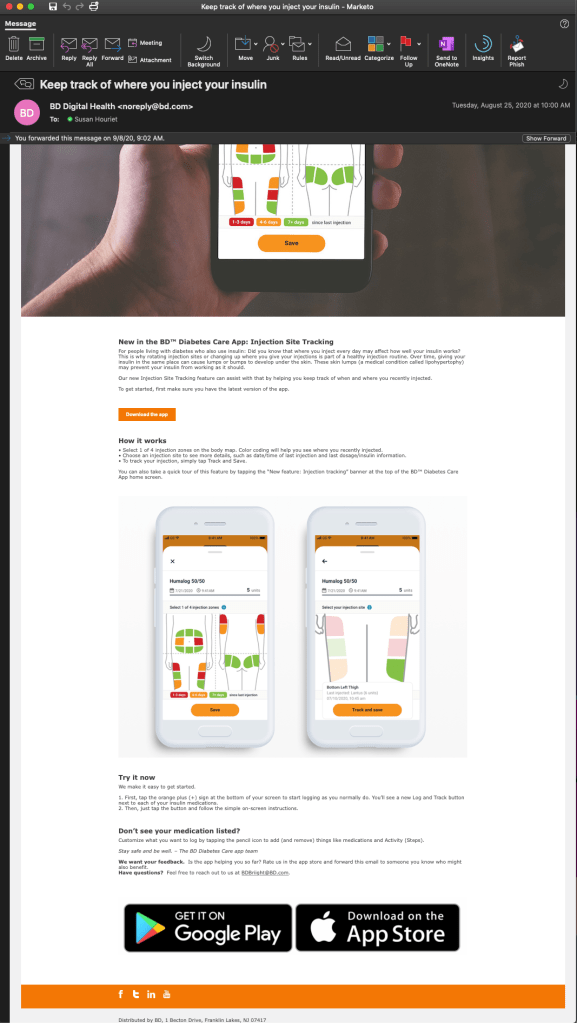
For people living with diabetes who also use insulin: Did you know that where you inject every day may affect how well your insulin works? This is why rotating injection sites or changing up where you give your injections is part of a healthy injection routine. Over time, giving your insulin in the same place can cause lumps or bumps to develop under the skin. These skin lumps (a medical condition called lipohypertophy) may prevent your insulin from working as it should.
Our new Injection Site Tracking feature can assist with that by helping you keep track of when and where you recently injected.
To get started, first make sure you have the latest version of the app.
How it works
• Select 1 of 4 injection zones on the body map. Color coding will help you see where you recently injected.
• Choose an injection site to see more details, such as date/time of last injection and last dosage/insulin information.
• To track your injection, simply tap Track and Save.
You can also take a quick tour of this feature by tapping the “New feature: Injection tracking” banner at the top of the BD™ Diabetes Care App home screen.
Try it now
We make it easy to get started.
1. First, tap the orange plus (+) sign at the bottom of your screen to start logging as you normally do. You’ll see a new Log and Track button next to each of your insulin medications.
2. Then, just tap the button and follow the simple on-screen instructions.
Don’t see your medication listed?
Customize what you want to log by tapping the pencil icon to add (and remove) things like medications and Activity (Steps).
Stay safe and be well. – The BD Diabetes Care app team
We want your feedback. Is the app helping you so far? Rate us in the app store and forward this email to someone you know who might also benefit.
Have questions? Feel free to reach out to us at BDBriight@BD.com
Subject line: COVID-19 Resource Center is now live
Body copy:
New in the BD Diabetes Care app: COVID-19 Resource Center
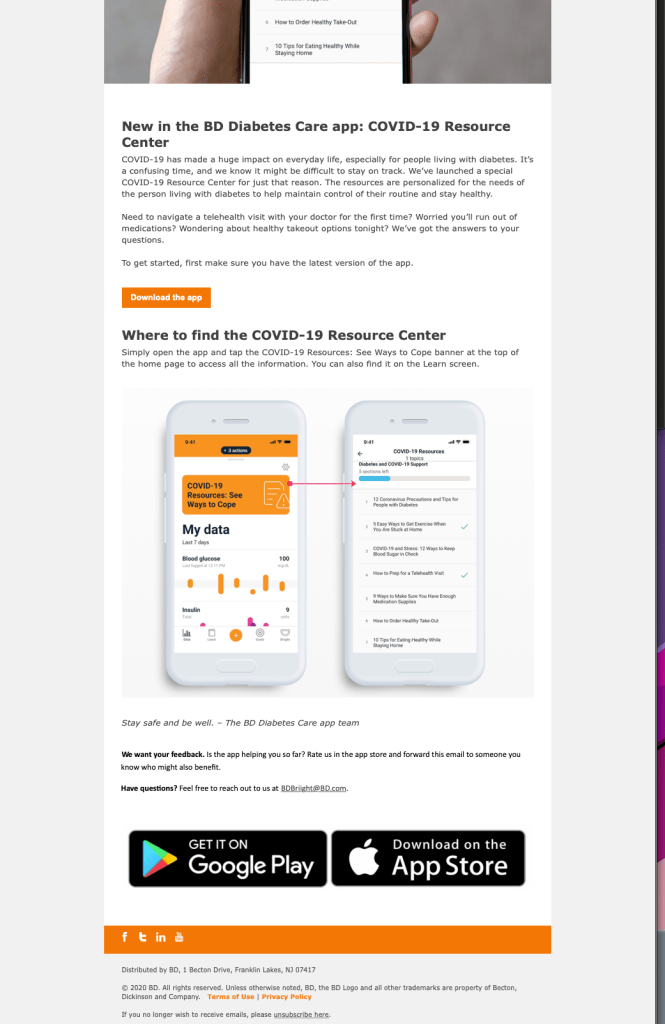
COVID-19 has made a huge impact on everyday life, especially for people living with diabetes. It’s a confusing time, and we know it might be difficult to stay on track. We’ve launched a special COVID-19 Resource Center for just that reason. The resources are personalized for the needs of the person living with diabetes to help maintain control of their routine and stay healthy.
Need to navigate a telehealth visit with your doctor for the first time? Worried you’ll run out of medications? Wondering about healthy takeout options tonight? We’ve got the answers to your questions.
To get started, first make sure you have the latest version of the app.
Download the app
Where to find the COVID-19 Resource Center
Simply open the app and tap the COVID-19 Resources: See Ways to Cope banner at the top of the home page to access all the information. You can also find it on the Learn screen.
Stay safe and be well. – The BD Diabetes Care app team
We want your feedback. Is the app helping you so far? Rate us in the app store and forward this email to someone you know who might also benefit.
Have questions? Feel free to reach out to us at BDBriight@BD.com.
Subject line: See what’s new in the BD Diabetes Care app
Body copy:
See what’s new in the BD Diabetes Care app
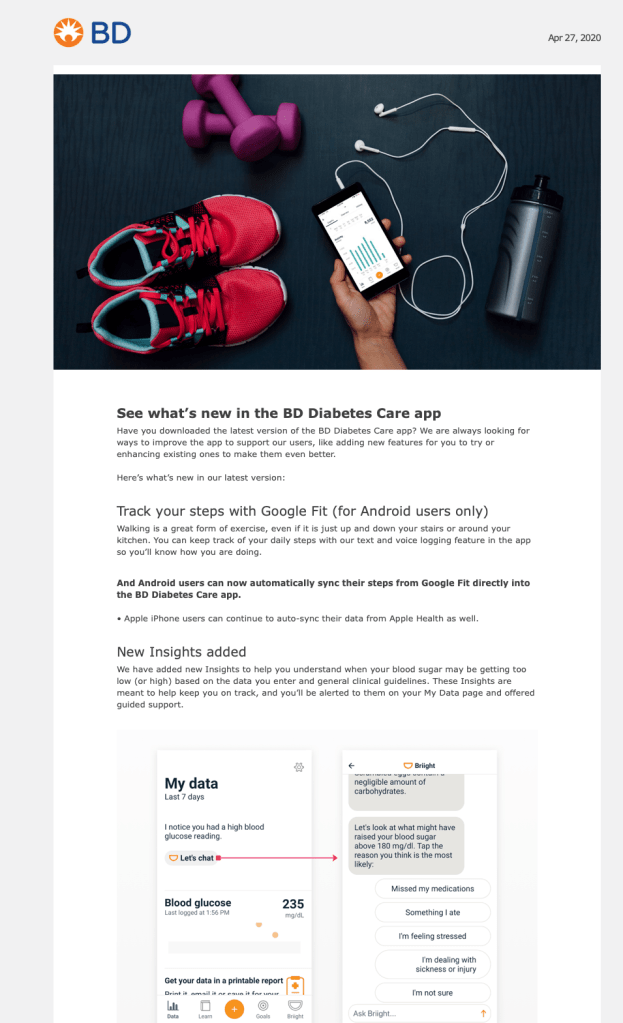
Have you downloaded the latest version of the BD Diabetes Care app? We are always looking for ways to improve the app to support our users, like adding new features for you to try or enhancing existing ones to make them even better.
Here’s what’s new in our latest version:
Track your steps with Google Fit (for Android users only)
Walking is a great form of exercise, even if it is just up and down your stairs or around your kitchen. You can keep track of your daily steps with our text and voice logging feature in the app so you’ll know how you are doing.
And Android users can now automatically sync their steps from Google Fit directly into the BD Diabetes Care app. Apple iPhone users can continue to auto-sync their data from Apple Health as well.
New Insights added
We have added new Insights to help you understand when your blood sugar may be getting too low (or high) based on the data you enter and general clinical guidelines. These Insights are meant to help keep you on track, and you’ll be alerted to them on your My Data page and offered guided support.
Enhancements to Goals
The BD Diabetes Care app’s Goals feature focuses on how you want to take control of diabetes. Each goal includes skills and knowledge that support the development of healthy habits. In this latest version of Goals, we have made minor content and screen updates to the feature.
COVID-19 support
For COVID-19 precautions and tips specifically for people with diabetes, go to the BD Diabetes Care app on your smartphone and tap the Actions button at the top of the screen to access the articles.
Stay safe and stay well. — The BD Diabetes Care team
Download the latest version of the app here:
Subject line: Check out our most popular features: recipes and logging (7 day DRIP campaign)
Body copy:
Check out our most popular features:
- Diabetes-friendly recipes
- Blood sugar, insulin and activity logging—all in one place!
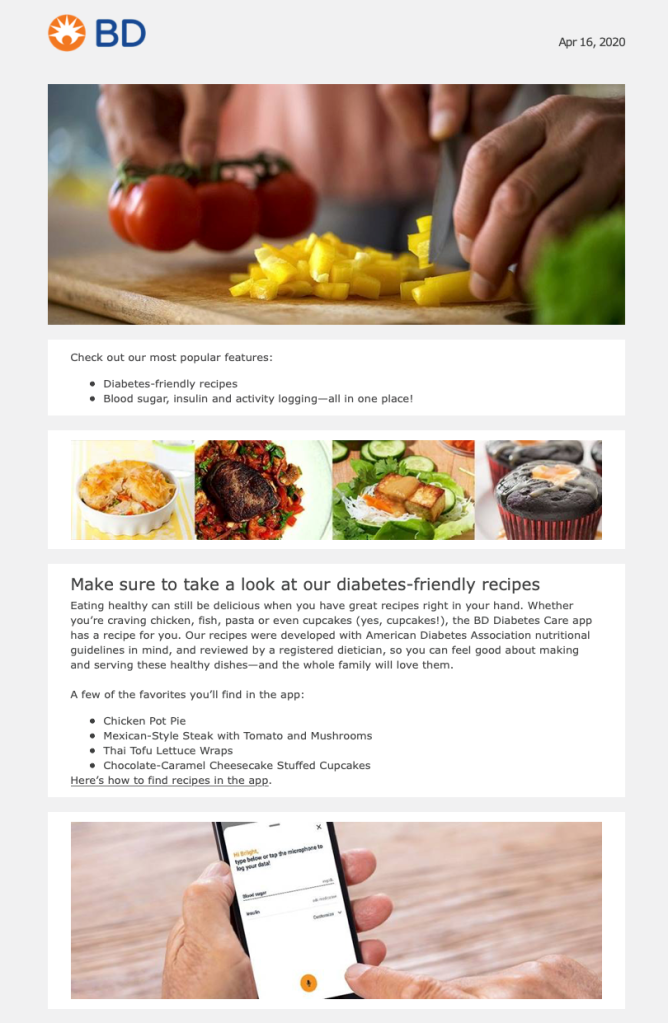
Make sure to take a look at our diabetes-friendly recipes
Eating healthy can still be delicious when you have great recipes right in your hand. Whether you’re craving chicken, fish, pasta or even cupcakes (yes, cupcakes!), the BD Diabetes Care app has a recipe for you. Our recipes were developed with American Diabetes Association nutritional guidelines in mind, and reviewed by a registered dietician, so you can feel good about making and serving these healthy dishes—and the whole family will love them.
A few of the favorites you’ll find in the app:
- Chicken Pot Pie
- Mexican-Style Steak with Tomato and Mushrooms
- Thai Tofu Lettuce Wraps
- Chocolate-Caramel Cheesecake Stuffed Cupcakes
Here’s how to find recipes in the app.
Try out our the logging and tracking features
The app acts as a simple, virtual logbook that you can access anytime. If you track your blood sugar and insulin doses, you can do it all on the same screen. Want to add your steps for the day? You can do that too! And if you want to share your data with a healthcare provider or loved one, it’s easy to create and share a personal report.
See these features in action here in our how-to videos:
How to log blood glucose
How to log insulin
How to log activity
How to create and share your personal data report
See these features and more on the app on your iPhone or Android smartphone.
We want your feedback! Is the app helping you so far? Rate us in the app store and forward this email to someone you know who might also benefit. Have questions? Feel free to reach out to us at BDBriight@BD.com.
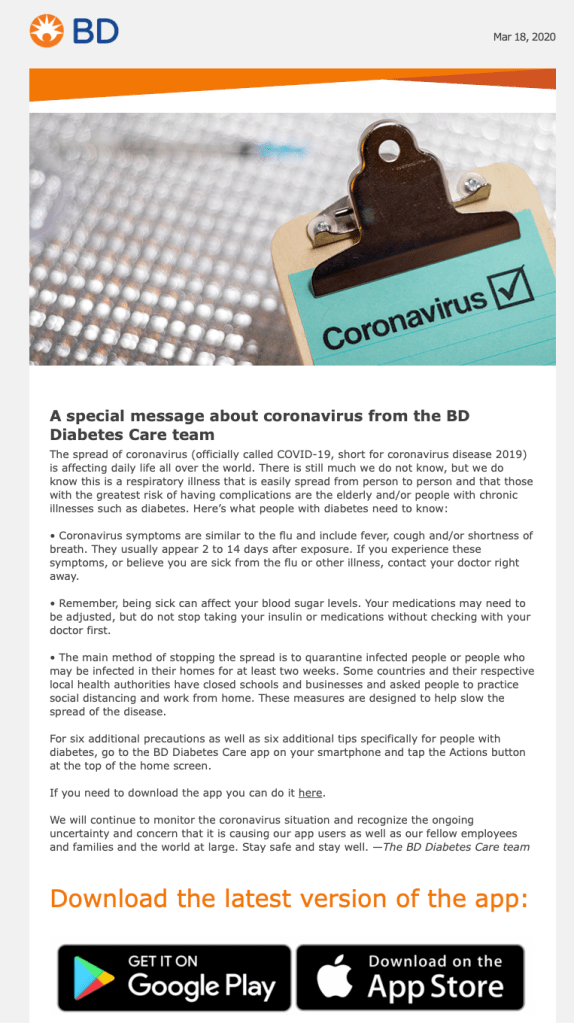
Subject line: Coronavirus and you: Safety tips from BD Diabetes Care
Body copy:
A special message about coronavirus from the BD Diabetes Care team
The spread of coronavirus (officially called COVID-19, short for coronavirus disease 2019) is affecting daily life all over the world. There is still much we do not know, but we do know this is a respiratory illness that is easily spread from person to person and that those with the greatest risk of having complications are the elderly and/or people with chronic illnesses such as diabetes. Here’s what people with diabetes need to know:
• Coronavirus symptoms are similar to the flu and include fever, cough and/or shortness of breath. They usually appear 2 to 14 days after exposure. If you experience these symptoms, or believe you are sick from the flu or other illness, contact your doctor right away.
• Remember, being sick can affect your blood sugar levels. Your medications may need to be adjusted, but do not stop taking your insulin or medications without checking with your doctor first.
• The main method of stopping the spread is to quarantine infected people or people who may be infected in their homes for at least two weeks. Some countries and their respective local health authorities have closed schools and businesses and asked people to practice social distancing and work from home. These measures are designed to help slow the spread of the disease.
For six additional precautions as well as six additional tips specifically for people with diabetes, go to the BD Diabetes Care app on your smartphone and tap the Actions button at the top of the home screen.
If you need to download the app you can do it here.
We will continue to monitor the coronavirus situation and recognize the ongoing uncertainty and concern that it is causing our app users as well as our fellow employees and families and the world at large. Stay safe and stay well. —The BD Diabetes Care team
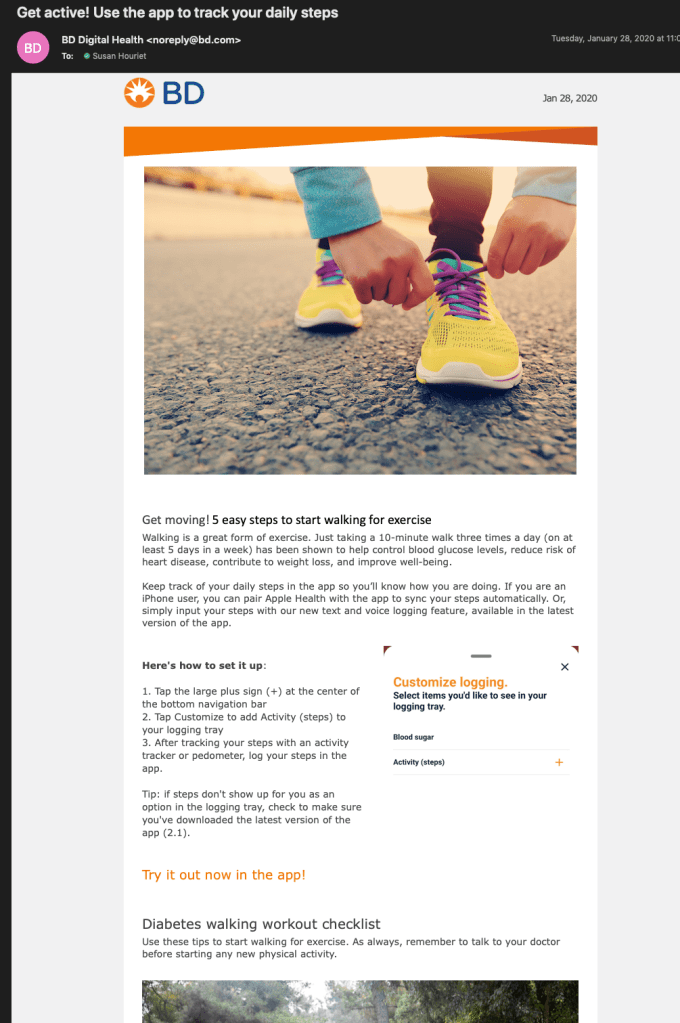
Subject line: Get active! Use the app to track your daily steps
Body copy:
Get moving! 5 easy steps to start walking for exercise
Walking is a great form of exercise. Just taking a 10-minute walk three times a day (on at least 5 days in a week) has been shown to help control blood glucose levels, reduce risk of heart disease, contribute to weight loss, and improve well-being.
Keep track of your daily steps in the app so you’ll know how you are doing. If you are an iPhone user, you can pair Apple Health with the app to sync your steps automatically. Or, simply input your steps with our new text and voice logging feature, available in the latest version of the app.
Here’s how to set it up:
- Tap the large plus sign (+) at the center of the bottom navigation bar
- Tap Customize to add Activity (steps) to your logging tray
- After tracking your steps with an activity tracker or pedometer, log your steps in the app.
Tip: if steps don’t show up for you as an option in the logging tray, check to make sure you’ve downloaded the latest version of the app (2.1).
Try it out now in the app!
Diabetes walking workout checklist
Use these tips to start walking for exercise. As always, remember to talk to your doctor before starting any new physical activity.
• Pay attention to your walking posture. Experts suggest walking with your chin up and shoulders slightly back. Make sure your heel touches the ground first, then roll onto the ball of your foot. Keep your toes pointed straight ahead and swing your arms naturally.
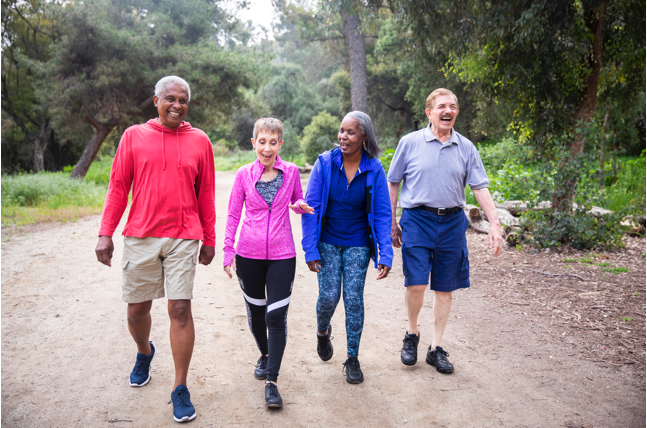
• Team up with a buddy or a group. You’re more likely to stay motivated if you have a partner. Join a local walking group or start your own with family or neighbors.
• Set a reminder. Whether you use an alarm or jot it down in your planner or calendar, setting a consistent reminder to walk will help to keep you focused on sticking to a new routine.
• Be safe. Let a friend or family member know your planned route and when you expect to be home. Remember to be aware of your surroundings and wear reflective gear if it’s dark outside.
• Track your progress. Use the BD Diabetes Care app to record the date, time, and distance you walk to see how your distance improves over time. See your total steps and average number of steps at any time on your My Data home screen.
For more exercise and lifestyle tips, visit the app on your iPhone or Android smartphone or download it today. And happy walking!
 TLP Content
Leave a Reply